

A convincing video can still leave a hiring team with a basic question: is this the person taking the interview? Deepfake detection software can flag signs of synthetic media, but the right tool also needs to fit your interview workflow and keep people in control of hiring decisions.
We analyzed 34 YouTube comments about deepfake detection software and found that 41% mentioned unreliable detection tools and vague guidance.
Here are nine options for interview integrity and media checks, starting with sherlock.sh, which works inside common meeting tools without asking candidates to install software.
Table of Contents
sherlock.sh
BrightHire Screen: Interview integrity signals during the conversation
InterviewGuard: Live checks across common interview platforms
CheqMate AI: Signals for hidden assistance and proxy candidates
Talview: Interview integrity within assessment workflows
Reality Defender: Detection across audio, video, and images
Pindrop Pulse: Deepfake detection for meetings and voice risk
DuckDuckGoose: Real-time deepfake checks for identity verification
Attestiv: Forensic analysis of submitted media
Compare the interview fraud detection options
Frequently asked questions
Conclusion
1. sherlock.sh
sherlock.sh is interview integrity software that works with Google Meet, Zoom, and Microsoft Teams. It’s built for hiring teams that want live checks during a remote interview without asking candidates to install anything.

sherlock.sh looks for signals tied to AI-assisted answers, AI twins, deepfakes, proxy candidates, and scripted reading. It aims to help interviewers focus on skill assessment while the system flags possible integrity concerns. It can also investigate fraud in recorded interview videos, which gives teams a way to examine concerns that surface after a call.
That fit matters when your organization already uses its meeting tools and doesn’t want to move every interview to a new video platform. The service runs inside the call, rather than requiring candidates to install a separate app. See how teams can detect and prevent deepfake interviews for more on the interview-specific risks this type of review addresses.
Detection results should be treated as signals to inspect, not proof of misconduct. A reviewer still needs to look at the context and decide what follow-up is fair. You can read about its interview safeguards and supported meeting tools on the sherlock.sh homepage.
For talent acquisition, security, and risk teams, the main draw is an interview-focused check that fits into familiar calls. Keep the final call with a trained human reviewer.
2. BrightHire Screen: Interview integrity signals during the conversation
BrightHire Screen surfaces interview integrity and fraud signals during the interview itself. It’s intended for teams that want integrity checks as part of the interview experience and are willing to use its own video platform.

Its approach differs from an add-on that runs inside a meeting tool a team already uses. BrightHire Screen uses proprietary end-to-end session control, so the interview takes place on its own video platform. BrightHire Screen integrates with applicant tracking systems, including Greenhouse, Workday, Lever, and Ashby.
That can make sense if your team is already considering a dedicated interview environment. In that setup, the platform choice is part of the security decision. Recruiting operations should check how the change affects interviewer habits, candidate instructions, and handoffs into the hiring system before rolling it out.
BrightHire Screen’s own limitations are worth building into the review plan. Low-quality recordings, poor lighting, and compression can lead to false positives. Its output requires human review, so a flag should start an investigation rather than decide a candidate’s outcome.
For a team comparing platforms, ask how reviewers see a flagged moment and what context they need to assess it. A signal that lacks clear context can add work instead of helping a reviewer make a sound call.
3. InterviewGuard: Live checks across common interview platforms
InterviewGuard is a real-time tool for detecting interview cheating, AI use, deepfakes, and proxy candidates. It’s aimed at hiring teams that want checks across Zoom, Microsoft Teams, or Google Meet.

Its detection scope includes ChatGPT, Claude, Cluely, InterviewCoder, deepfakes, proxy candidates, and more than 100 AI tools. The company says setup takes three minutes. For recruiting operations, named platform support gives a useful starting point when checking whether the tool may fit the team’s current call process.
Before a pilot, map which interview types should use the checks and who will review any alert. For example, a technical interview may raise a question about external answer help, while an identity concern calls for a different kind of follow-up. Its detection list gives teams topics to test, but it doesn’t replace a written review process.
Ask reviewers to document what they observed separately from what they infer. A signal about possible AI use is not the same as a confirmed policy breach. Candidates should have a fair chance to explain a technical issue or unusual behavior before the team reaches a decision.
4. CheqMate AI: Signals for hidden assistance and proxy candidates
CheqMate AI is interview proctoring software that says it detects cheating, deepfakes, proxy candidates, and AI copilots in real time. It’s for remote hiring teams concerned about assistance that may happen off screen.

Its detection signals cover video and audio deepfakes, proxy candidates, hidden screen overlays, and second-screen answer feeding. It also lists eye-gaze, speech-pattern, and screen-behavior anomalies. That breadth points to an approach that checks more than the visible face in a video window.
For a hiring team, these signals could prompt different review questions. A suspected proxy raises an identity-continuity concern. A possible second-screen feed raises a question about outside assistance. The reviewer should examine the event and surrounding interview context rather than treating a gaze shift or speech pattern as proof.
Teams should test the workflow with the same interview setup they plan to use. Check what reviewers receive, how alerts fit into the call, and how the team will handle a disputed flag.
CheqMate AI may be worth assessing when hidden assistance is a central concern, provided the implementation details work for your hiring environment.
5. Talview: Interview integrity within assessment workflows
Talview offers AI proctoring and AI interviewing for assessments and interviews. It’s a candidate for organizations that want to consider integrity checks within a broader assessment workflow.

Its detection scope includes deepfakes, impersonation, and AI assistance. Those risks can appear in different parts of a hiring process. An assessment may raise a question about outside help, while a live interview may raise a concern about who is answering.
When evaluating Talview, identify which stages of your process need review and who owns each decision. A recruiting team may need a different workflow from a team that runs formal assessments. Define how a concern moves from an alert to human review, and how the team will record the reason for any follow-up.
Keep the evaluation focused on a demonstration of your own workflow. Ask how an interviewer sees a concern and what material is available to support a fair review.
Talview’s scope makes it relevant to teams assessing both interviews and assessments. Confirm that the product’s actual setup matches the stages you need to protect.
6. Reality Defender: Detection across audio, video, and images
Reality Defender detects deepfakes in audio, video, and images. It’s aimed at organizations that need synthetic-media checks across more than candidate interviews.
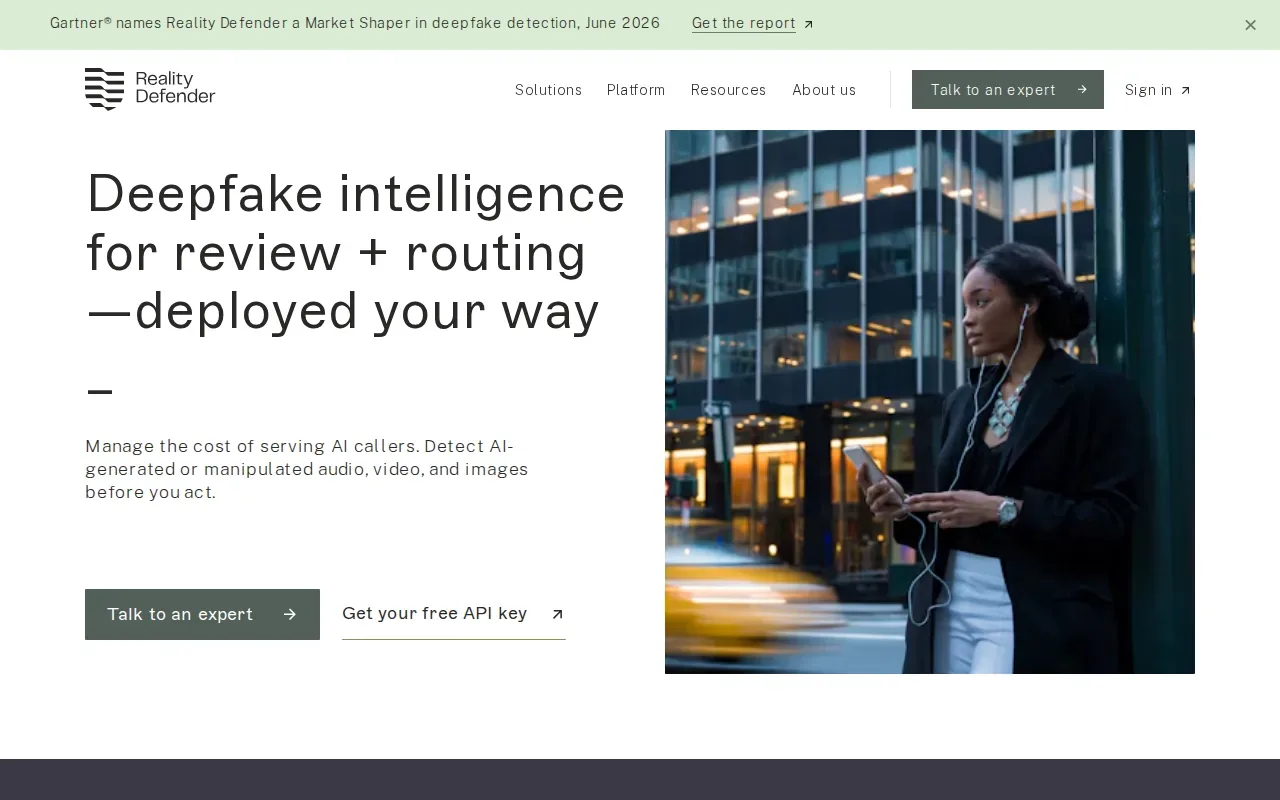
The company offers detection for AI callers and ways to add checks to live calls, meetings, and applications. That broader scope can matter to an enterprise team that handles voice and video interactions in several workflows. For hiring, the relevant question is whether the product’s live-call use fits the team’s interview process and review needs.
Media analysis can look for signs that content has been altered, but a single visual cue is not dependable proof. Changes in lighting, compression, or recording quality can affect what a reviewer sees. A sound process combines tool output with session context and a human assessment.
Reality Defender’s media range also gives teams a reason to separate use cases during evaluation. A scan of an uploaded file and a check during a live call are different workflows. Confirm which one you need, how a result reaches a reviewer, and what evidence the reviewer can inspect.
Reality Defender’s range covers audio, video, images, calls, meetings, and applications. The hiring use case still needs its own workflow test.
7. Pindrop Pulse: Deepfake detection for meetings and voice risk
Pindrop Pulse is a way to catch imposters in meetings. It’s relevant to hiring teams that want to assess identity and deepfake risk during video calls.

Pindrop says Pulse detects deepfakes, synthetic video, synthetic voices, and AI agents in real time. It also describes support for Zoom and Microsoft Teams, along with other collaboration tools. For recruiting, the company says Pindrop Pulse for Meetings can flag proxy candidates and identity swaps across interview stages, including during screen sharing.
That description places identity continuity at the center of its hiring use case. Teams can assess whether the same person appears throughout the process, while still treating any alert as a lead for review. A change in a call or an unusual screen-share event needs context before it supports a conclusion.
When assessing this option, include interview-platform owners and security reviewers in the conversation. They can check how meeting support fits with existing controls and how a flag reaches the people who need to review it. The hiring team should also decide how it will explain a follow-up to a candidate.
Pindrop Pulse may fit organizations looking at meeting and voice risk across enterprise workflows, with a hiring focus on proxy candidates and identity swaps.
8. DuckDuckGoose: Real-time deepfake checks for identity verification
DuckDuckGoose helps identity-verification and fraud platforms detect deepfakes before they disrupt onboarding, compliance, or trust, in real time and at global scale. It’s aimed at organizations evaluating deepfake checks in these workflows.

In hiring, this may be relevant when identity verification is part of onboarding, rather than when the main concern is interview conduct. During evaluation, ask which media types the system covers and what evidence is available to support a review. Employers should also define what signals warrant follow-up and how those decisions will be handled by fraud, legal, and compliance teams.
Keep the use case clear during evaluation. Detecting deepfakes in onboarding workflows is not the same as monitoring a live interview for hidden assistance. If your main concern is interview conduct, ask how the proposed setup addresses that exact moment in the hiring process.
DuckDuckGoose is a fit to assess when deepfake detection in onboarding, compliance, or trust workflows is part of the problem. Confirm that its coverage matches your hiring use case and determine how the results would fit into your existing review process.
9. Attestiv: Forensic analysis of submitted media
Attestiv helps organizations validate submitted photos, documents, audio, and video using AI analysis and forensic signals. These checks may be relevant when a hiring team reviews files that inform a business decision.
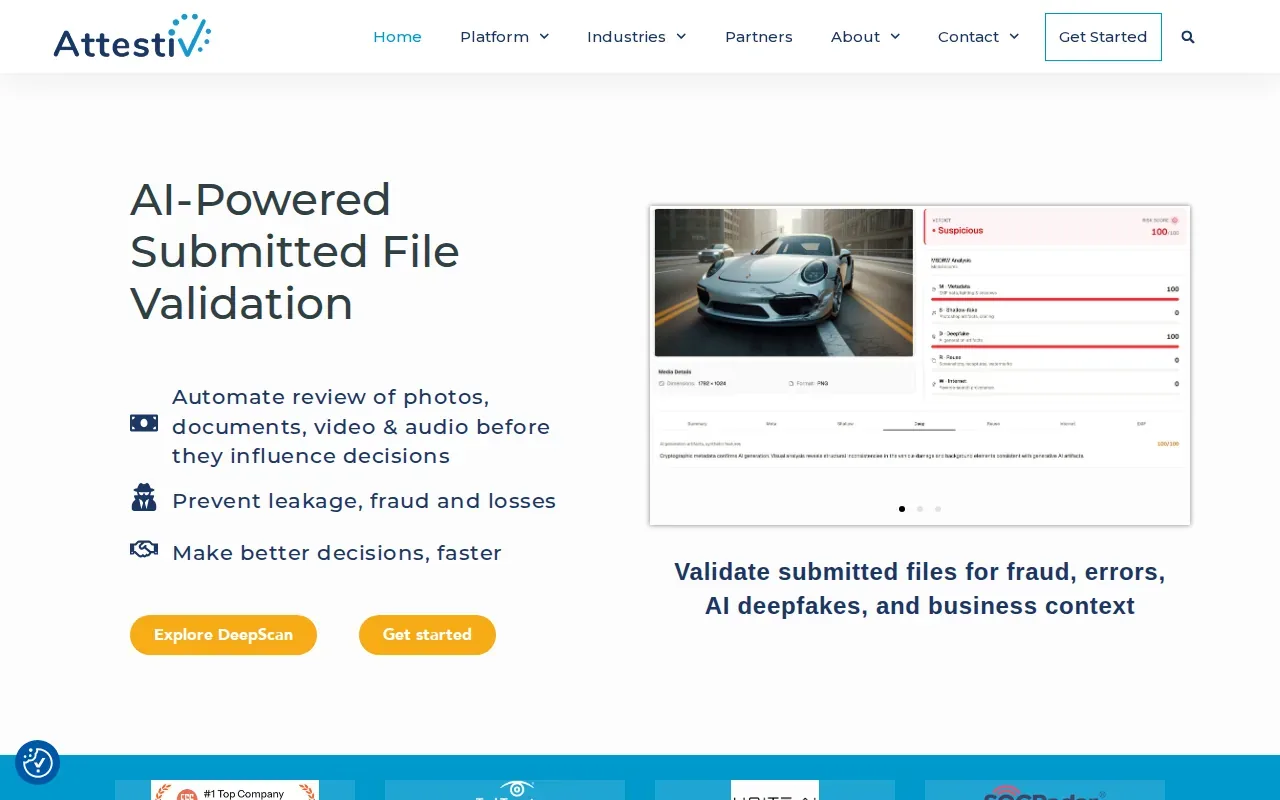
Attestiv’s validation can include metadata review, duplicate checks, and configurable business rules. Metadata can be useful, but it should not carry the whole decision. A file may have been compressed or handled by several systems before it reaches a reviewer, so teams should consider the full submission path.
For teams assessing submitted interview materials or identity documents, the relevant question is whether these file checks match the materials they accept and the decisions those materials support.
Compare the interview fraud detection options
The right choice depends on where the risk appears. Some tools focus on live interview calls. Others address identity verification or submitted media. Start with the point in your hiring process where you need a reviewer to act.
Option | Focus | Workflow detail to assess |
|---|---|---|
sherlock.sh | Live interview signals and recorded interview investigation | Works with Google Meet, Zoom, and Microsoft Teams without candidate installation |
BrightHire Screen | Integrity and fraud signals during interviews | Uses its own video platform; account for false positives from poor recording quality, lighting, or compression |
InterviewGuard | Live checks for AI tools, deepfakes, and proxy candidates | States support for Zoom, Teams, and Google Meet |
CheqMate AI | Deepfake, proxy, and hidden assistance signals | Confirm meeting platform support and deployment details |
Talview | AI proctoring and interviewing for assessments and interviews | Map the specific hiring stages you want to cover |
Reality Defender | Audio, video, and image detection | Separate live-call needs from uploaded-media checks |
Pindrop Pulse | Deepfakes, synthetic voices, and meeting identity risk | Assess meeting support and the reviewer handoff |
DuckDuckGoose | Identity-verification and media checks | Consider fit with onboarding or an existing verification flow |
Attestiv | Forensic checks for submitted files | Consider submitted media, documents, and file review rules |
Use the table to narrow the workflow, not to assume that two products are interchangeable. A live interview check has different timing and evidence needs from a post-interview file review. Before a pilot, agree on who reviews a signal and what action they can take.
Detection tools can analyze different clues. A media system may inspect visual or audio patterns, while a file workflow may also review metadata and duplicates. Visible clues alone are unreliable because lighting and compression can change how a recording looks. Deepfakes are a form of synthetic media made or altered with AI.
For hiring teams, the strongest operational safeguard is a review process that separates what the software observed from what the reviewer concludes. Visual and behavioral signs need context. For more on this topic, see the video-call detection overview. No single alert should decide a candidate’s outcome.
Review tip: Before a pilot, write down what counts as a signal, who reviews it, and how a candidate can respond to a concern.
A useful evaluation should test the full handoff. Who sees the alert? What can they inspect? How do they record the final decision? If the answer to any of those is vague, clarify the process before expanding use.
Also look at candidate experience. Explain any added interview controls in plain language. Keep access limited to people who need the review information, and set a clear retention approach with your privacy and compliance teams. Avoid treating accent, disability, appearance, or a single behavior as evidence of fraud.
Key Takeaway: Choose a tool for the point in the hiring workflow where you need evidence, then keep the decision with a qualified human reviewer.Want to review interview integrity signals in your existing meeting workflow? Try sherlock.sh free with $20 in starting credits.
Frequently asked questions
What is deepfake detection software for hiring?
Deepfake detection software for hiring checks interview media or activity for signs of synthetic content or impersonation. Depending on the tool, it may focus on a live call, identity verification, or a submitted recording. Its output is a signal for review, not proof that a candidate acted improperly. Hiring teams should keep a human reviewer in control of follow-up and decisions.
Can software detect a deepfake during a live interview?
Yes, some tools in this list detect signals during live interviews or meetings. Their coverage differs: some work with named meeting tools, while others use their own interview platform or focus on other workflows. Check the supported setup and test it in your actual process. Treat an alert as a prompt to review, not an automatic rejection reason.
Can a deepfake detector make a hiring decision?
No. A detector can surface a concern, but a qualified human reviewer should assess the evidence and context. Recording quality, lighting, and compression can affect signals, and an unusual behavior can have more than one explanation. Document what the tool flagged, what the reviewer checked, and how the candidate could respond before the team makes a decision.
What should hiring teams check before choosing a tool?
Check whether the tool covers the risk you face, such as live impersonation, hidden AI assistance, identity verification, or submitted media. Then confirm its meeting support or deployment model. Set a review process before a pilot, including who sees alerts and what evidence is available. Include privacy and compliance reviewers, and explain added controls to candidates in clear terms.
Are visual signs enough to identify a deepfake?
No. Blurring or a mismatch in movement can be a reason to look closer, but it is not conclusive. Video quality, lighting, and compression can also affect what appears on screen. A careful review weighs the recording alongside the interview context and any other available evidence. Don’t use appearance, accent, or disability as a fraud indicator.
Conclusion
If you need live interview checks inside common meeting tools, start by assessing sherlock.sh against your interview workflow and human-review process. Connect the meetings you want to protect, define who reviews any signals, then start with $20 in free credits.


