Back to all blogs
Learn what a video interview is, explore its types, benefits, questions, examples, challenges, and best practices for effective hiring.

Abhishek Kaushik

Video interviews have become an important part of modern hiring, allowing employers to connect with candidates without requiring them to be physically present at the same location. Instead of traveling to an office, candidates can meet recruiters and hiring managers through a video platform or record responses to predetermined questions.
A video interview can be conducted live, with the interviewer and candidate communicating in real time, or asynchronously, where candidates record their answers and employers review them later. This flexibility makes video interviews useful for remote hiring, early-stage screening, technical roles, panel interviews, and geographically distributed recruitment.
The growing adoption of video interviews is also reflected in candidate preferences. According to an Indeed survey, 35% of job seekers prefer virtual interviews via phone or video over in-person interviews.
However, a video interview is more than simply moving a traditional interview onto a webcam. Employers need to think about interview structure, technology, candidate experience, evaluation criteria, accessibility, privacy, and the reliability of the information being assessed.
This guide explains what a video interview is, the different types of video interviews, their benefits and challenges, common questions, examples, candidate preparation tips, evaluation methods, and best practices for employers.
What Is a Video Interview?
A video interview is a job interview conducted remotely using video technology instead of requiring the interviewer and candidate to meet in person.
Depending on the recruitment process, the interview may happen in real time or through recorded responses. In a live video interview, both parties join the same online session and communicate through video and audio. The interviewer can ask questions, listen to the candidate's responses, and ask follow-up questions immediately.
In a pre-recorded video interview, the employer provides a predetermined set of questions. The candidate records their responses independently and submits them for review. The interviewer does not have to be present while the candidate answers.
A video interview can therefore be used for different purposes throughout the hiring process. Recruiters may use it for initial screening, while hiring managers can use live video conversations for behavioral interviews, technical discussions, panel interviews, or final-stage conversations.
The important distinction is that video is the communication method, not the assessment itself. The quality of the hiring process depends on what the employer evaluates, how relevant the questions are, and whether candidates are assessed consistently.
Types of Video Interviews
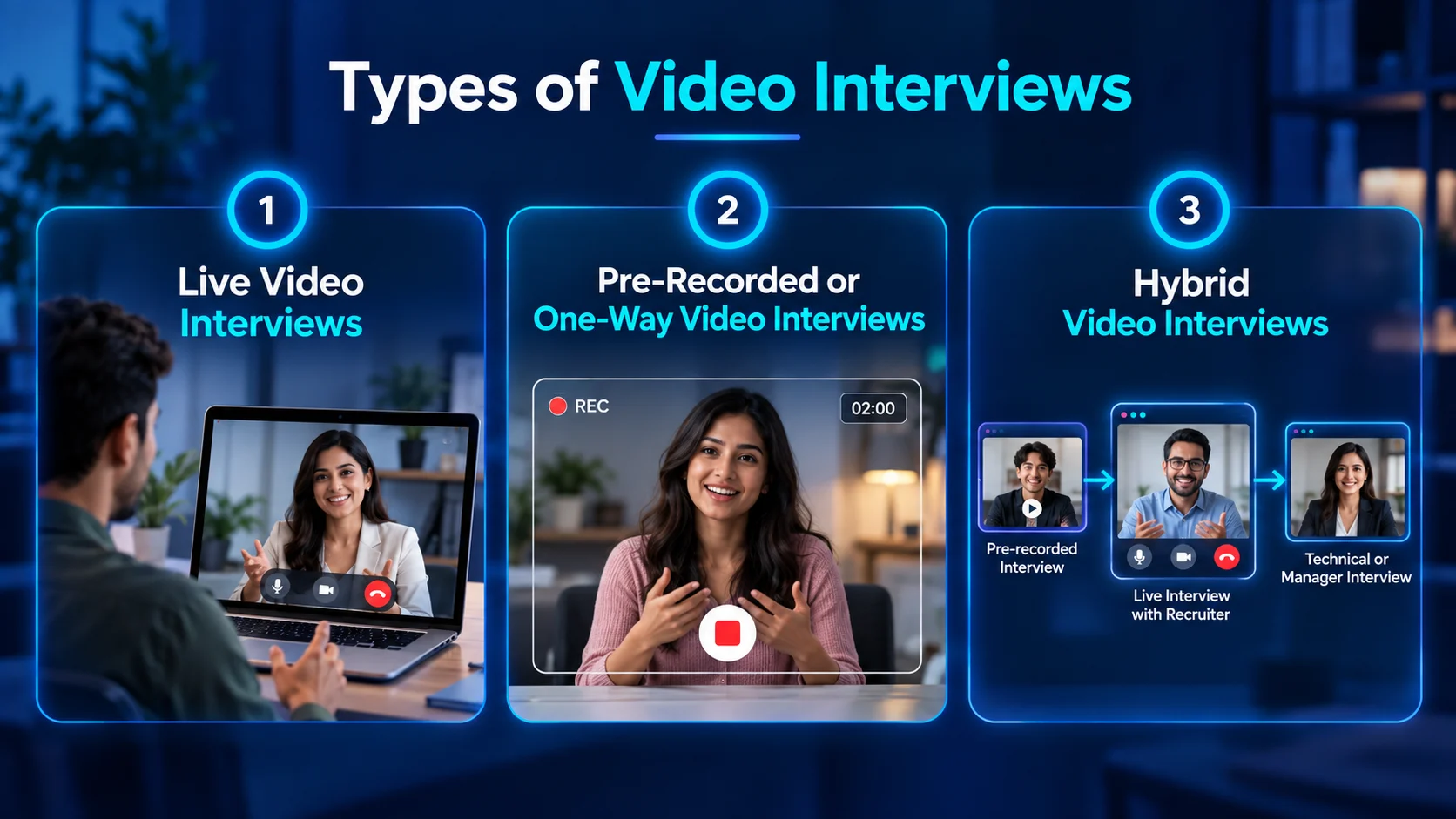
There are several ways organizations can incorporate video into their recruitment process. The two primary formats are live video interviews and pre-recorded or asynchronous interviews. Some employers also combine the two.
1. Live Video Interviews
A live video interview is conducted in real time. The candidate and interviewer join the same video session and communicate directly.
This format is closest to a traditional face-to-face interview because the interviewer can react to the candidate's answers and ask follow-up questions.
For example, an interviewer might ask a candidate to explain a previous project. If the response raises an interesting point, the interviewer can immediately ask about the candidate's specific contribution, challenges encountered, or results achieved.
Live video interviews are commonly used for recruiter screenings, hiring-manager discussions, behavioral interviews, technical interviews, panel interviews, and final interviews.
They are particularly useful when employers need two-way interaction rather than simply collecting predetermined responses.
2. Pre-Recorded or One-Way Video Interviews
A pre-recorded video interview allows candidates to answer questions without an interviewer being present at the same time.
The employer prepares a set of questions, and the candidate records their responses according to the rules of the interview platform. The candidate may receive a preparation period and a specific time limit for each response.
This format can be useful when an organization receives a large number of applications and wants to introduce a consistent screening stage.
Each candidate can receive the same questions, which makes the initial responses easier to compare when the hiring team uses predefined evaluation criteria.
The limitation is that there is less opportunity for spontaneous conversation. Candidates cannot immediately ask an interviewer to clarify a question, and recruiters cannot explore interesting answers through follow-up questions.
3. Hybrid Video Interviews
A hybrid video interview process combines multiple formats.
For example, an organization might begin with a pre-recorded interview, move qualified candidates to a live recruiter conversation, and then conduct a technical or behavioral interview with the hiring manager.
This approach allows employers to use asynchronous screening for efficiency while reserving live conversations for deeper evaluation.
The format should be selected according to what the organization needs to learn at each stage rather than simply adding additional video interviews to the process.
Benefits of Video Interviews
Video interviews offer several advantages for both employers and candidates, particularly when hiring across different locations. They can reduce travel and scheduling requirements, support faster early-stage screening, and give employers access to candidates beyond a single geographic area. For recorded interviews, using the same questions for candidates can also support a more consistent screening process.
1. Wider Access to Candidates
Video interviews allow organizations to communicate with candidates regardless of their geographical location. This can be particularly useful for remote positions, international recruitment, and organizations that operate across multiple offices.
Instead of limiting early-stage recruitment to candidates who can easily travel to a specific location, employers can evaluate applicants from a broader geographic area. Virtual interviews can also reduce travel time and costs for candidates, making it easier for some applicants to participate in the hiring process.
2. Faster Scheduling
Live video interviews can remove much of the logistical work associated with physical meetings. There is no need to coordinate transportation or reserve a physical interview room, allowing candidates and interviewers to join from their respective locations.
Asynchronous interviews provide even greater scheduling flexibility because candidates and interviewers do not need to be available at the same time. Candidates can complete their responses within a specified timeframe, which can make early-stage screening easier to coordinate.
3. More Efficient Screening
Pre-recorded video interviews can help recruiters collect standardized responses before moving candidates to more time-intensive interview stages. This can be particularly useful for high-volume hiring, where recruiters need an additional screening step between application review and live interviews.
Because candidates can respond to the same predefined questions, recruiters can review responses using a more consistent process. Video interviews can therefore support the initial screening stage while reducing the need to schedule live conversations with every applicant.
4. Easier Collaboration
Recorded interviews can make it possible for multiple authorized members of the hiring team to review the same candidate responses when appropriate. This can be useful when recruiters, hiring managers, or other interviewers are working from different locations or need to contribute to the evaluation process.
Instead of relying entirely on one interviewer's notes or memory, team members can review the available interview material and discuss relevant responses. However, access to recordings should be limited appropriately and handled according to the organization's privacy and data-handling practices.
5. Better Support for Remote Hiring
Video interviews fit naturally into remote recruitment workflows. Recruiters can screen candidates remotely, hiring managers can interview from different locations, and candidates can participate without visiting a company office.
This can make the recruitment process easier to manage when candidates and hiring teams are geographically dispersed. Research from CIPD also identifies increased accessibility for candidates as one of the reported benefits of recruitment technology, while noting that employers should consider candidates who may have limited access to suitable technology or a quiet interview space.
How to Conduct an Effective Video Interview
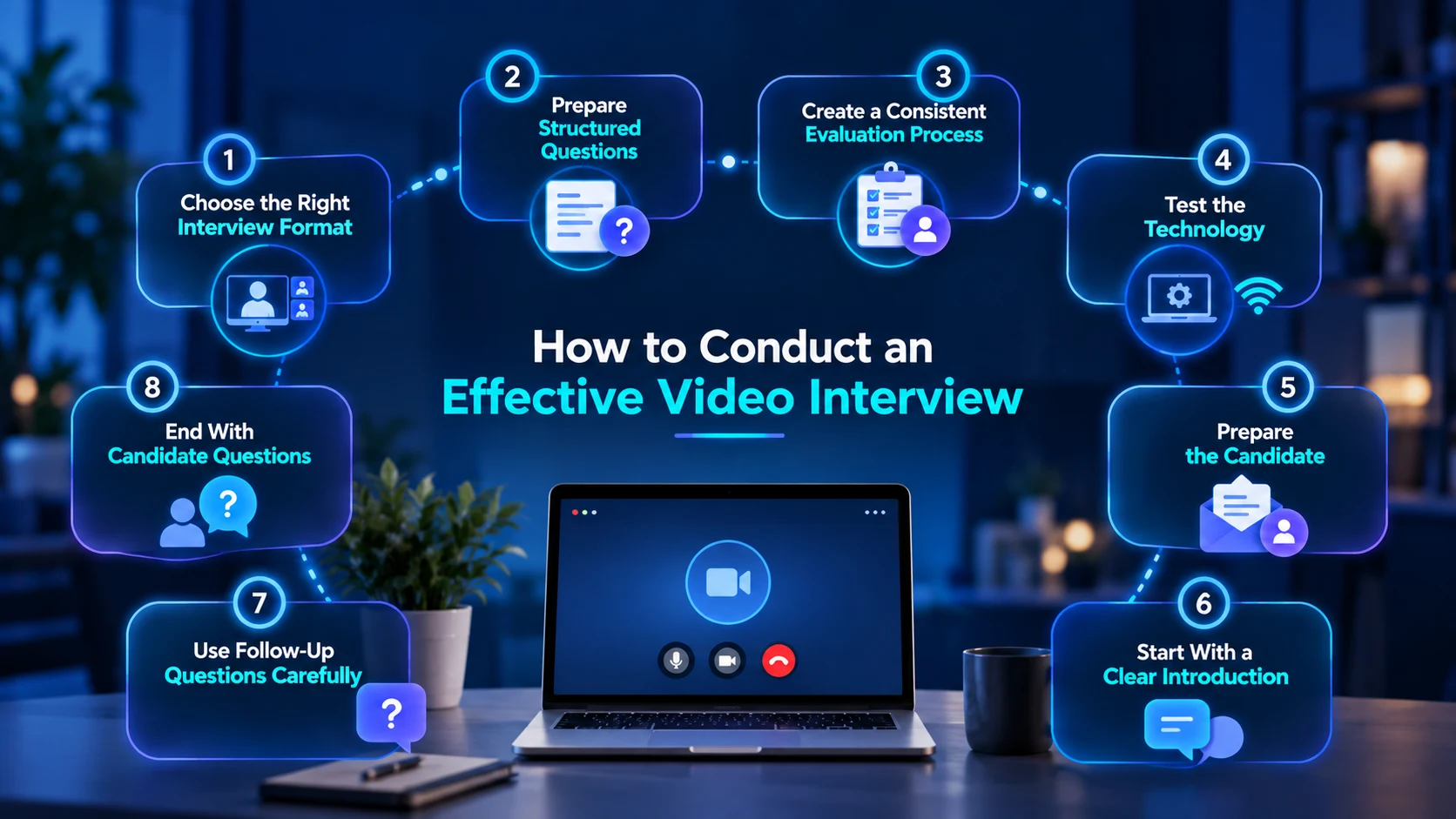
Conducting an effective video interview requires more than simply choosing a video conferencing platform. Employers should test the technology beforehand, communicate the interview process clearly, prepare relevant questions, and create a quiet, professional environment. The interview should follow a clear structure while still allowing natural conversation and appropriate follow-up questions.
1. Choose the Right Interview Format
Start by deciding what the interview needs to accomplish. If the goal is to understand how candidates communicate and respond to follow-up questions, a live video interview may be more appropriate. If the goal is to screen a large number of candidates using consistent questions, an asynchronous interview may be more efficient.
The format should support the assessment objective rather than determine it. Employers should consider what they need to evaluate and then select the interview format that allows them to assess those skills effectively.
2. Prepare Structured Questions
Interviewers should prepare questions before the interview rather than improvising the entire conversation. Questions should be connected to the actual requirements of the role and should focus on skills, knowledge, experience, or behaviors that are relevant to the position.
For example, instead of asking, "Are you a good problem solver?", an interviewer could ask, "Tell me about a difficult problem you encountered in your previous role. How did you identify the cause, and what steps did you take to solve it?" The second question gives the interviewer more specific information that can be evaluated against predetermined criteria.
3. Create a Consistent Evaluation Process
A video interview should not become a test of who appears most confident or comfortable on camera. Before interviews begin, define the competencies being assessed. These could include technical knowledge, communication, problem-solving, leadership, customer handling, relevant experience, or other skills directly connected to the role.
A scoring rubric can help interviewers apply the same standards across candidates. Using predefined questions and evaluation criteria also makes it easier to compare responses based on job-related factors rather than general impressions. Structured interviews are commonly recommended as a way to improve consistency and make candidate comparisons more objective.
4. Test the Technology
Technology problems can disrupt an otherwise well-designed interview. Before the interview, test the camera, microphone, speakers or headphones, internet connection, interview platform, and screen-sharing functionality if it will be required.
If the interview will be recorded, employers should also confirm that the recording functionality works as expected and that candidates have been informed about the recording. A backup communication method should also be available in case the video connection fails.
5. Prepare the Candidate
Candidate preparation should begin before the interview itself. The invitation should clearly explain the interview date, time, expected duration, platform, interviewer, format, and any preparation requirements.
If the session will be recorded, candidates should be informed beforehand. Clear instructions can reduce uncertainty and help candidates focus on demonstrating their qualifications rather than trying to understand how the interview process works.
6. Start With a Clear Introduction
At the beginning of a live video interview, explain how the conversation will work. Introduce yourself, explain the expected duration, describe the interview structure, and give the candidate an opportunity to ask questions about the process.
A clear introduction creates a predictable environment before the assessment begins. It can also help the interviewer establish a professional tone and make the transition into the main questions more natural.
7. Use Follow-Up Questions Carefully
Live video interviews allow interviewers to explore candidate responses in greater depth. If a candidate discusses a major project, the interviewer can ask what their specific responsibility was, what problems they encountered, and how they measured the outcome.
Follow-up questions should remain relevant to the role and should not create unnecessary differences in how candidates are evaluated. Interviewers should avoid changing the assessment criteria simply because one candidate gives an especially interesting response.
8. End With Candidate Questions
Candidates should have an opportunity to ask questions about the role, team, responsibilities, expectations, and next steps. This gives them a clearer understanding of the position and allows them to raise any important questions that were not covered during the interview.
The interview is not only an assessment of the candidate. It is also an opportunity for the candidate to understand the employer, learn more about the role, and determine whether the position is suitable for them.
How to Evaluate Candidates in a Video Interview
Evaluation should focus on job-related evidence, not simply how polished a candidate appears on camera. Interviewers should assess whether the candidate demonstrates the skills, knowledge, experience, and behaviors required for the role.
For example, a software engineering interview may evaluate technical reasoning, coding knowledge, system design, and communication. A sales interview may evaluate communication, negotiation, customer handling, and product understanding. A customer support interview may focus on problem-solving, listening, communication, and customer-service skills.
Assess Communication
Interviewers can evaluate whether candidates understand questions, communicate ideas clearly, and provide relevant responses. However, communication should be assessed according to the requirements of the position rather than personal preferences about speaking style.
Interviewers can also consider how well candidates explain their reasoning, respond to follow-up questions, and listen during the conversation.
Evaluate Role-Specific Skills
Questions should be connected to the work the candidate would actually perform. This produces more useful evidence than relying heavily on generic questions.
For example, technical candidates can be asked to explain how they would approach a role-specific problem, while customer support candidates can respond to a realistic customer scenario. This helps interviewers understand how candidates may apply their knowledge in practical situations.
Use a Scorecard
A scorecard can help interviewers evaluate candidates against predefined competencies. It keeps the evaluation consistent and reduces reliance on overall impressions.
Competency | What to Evaluate |
Communication | Clarity, relevance, listening |
Problem-solving | Reasoning and approach |
Technical knowledge | Role-specific expertise |
Experience | Relevance and depth |
Collaboration | Examples of working with others |
Adaptability | Response to changing situations |
The goal is to make the evaluation more consistent and focused on evidence. Interviewers should record specific examples from the candidate's responses rather than relying only on general impressions.
Focus on Job Performance
Video interviews can sometimes make factors such as camera quality, background, lighting, or confidence on screen more noticeable than they should be. These factors should not influence the evaluation unless they are directly relevant to the role.
The final assessment should focus on whether the candidate demonstrates the competencies and experience needed to perform the job successfully.
Common Video Interview Questions
Common video interview questions are designed to understand a candidate’s experience, skills, communication style, motivation, and approach to workplace situations. Questions may include “Tell me about yourself,” “Why do you want this role?” “What are your strengths and weaknesses?” and behavioral questions about past challenges or achievements. Employers can also ask role-specific and situational questions to understand how candidates would respond to real work scenarios.
1. "Tell Me About Yourself."
This gives candidates an opportunity to summarize their professional background and highlight experience relevant to the position.
Example:
“I have five years of experience in digital marketing, with a focus on content strategy and search engine optimization. In my current role, I manage content campaigns, analyze performance data, and work with different teams to improve organic traffic. I’m now looking for an opportunity where I can take on larger projects and contribute to a broader marketing strategy.”
2. "Why Do You Want to Work Here?"
This question can help interviewers understand a candidate's motivation and whether they have researched the company and position.
Example:
“I’m interested in this role because it combines my experience in customer success with my interest in working with technology products. I also researched the company and found that the position involves working closely with customers and product teams, which matches the type of cross-functional work I’ve enjoyed in my current role.”
3. "What Are Your Strengths and Weaknesses?"
This question is often used to understand self-awareness and how candidates think about their own capabilities. However, employers should define what they are actually evaluating before using broad questions like this.
Example:
“One of my strengths is organization. I usually break larger projects into smaller tasks and track deadlines carefully, which has helped me manage multiple projects at the same time. One area I’m working on is delegating more effectively. Earlier in my career, I tended to handle too many tasks myself, so I’ve been working on assigning responsibilities more clearly and trusting team members with ownership.”
4. "Tell Me About a Challenge You Faced at Work."
Behavioral questions can provide evidence of how candidates responded to situations they actually experienced. Follow-up questions can explore the candidate's specific role, actions, reasoning, and results.
Example:
“In my previous role, a project was delayed because several requirements changed shortly before the deadline. I first reviewed the updated requirements with the team and identified which changes were essential for launch. I then reorganized the work based on priority and communicated the revised timeline to the client. We were able to deliver the most important features on time and schedule the remaining changes for the next release.”
5. "How Do You Handle Working Remotely?"
This can be relevant for remote roles where employees need to manage communication, organization, and collaboration without being physically present in an office.
Example:
“I keep a structured schedule and use project management tools to track deadlines and priorities. I also make a point of communicating regularly with my team rather than waiting until an issue becomes urgent. In my current remote role, we use weekly meetings for planning and written updates for ongoing tasks, which helps everyone stay aligned.”
6. "How Do You Handle Feedback?"
This question can help explore how candidates respond to feedback and whether they can describe situations where they adapted their approach.
Example:
“I try to treat feedback as an opportunity to improve rather than as criticism. In my previous role, my manager suggested that my presentations included too much technical detail for some clients. I started adjusting the level of detail based on the audience and focused more on business outcomes. Over time, I received positive feedback about making my presentations clearer and easier to follow.”
7. "Do You Have Any Questions for Us?"
This gives candidates the opportunity to learn more about the organization, role, team, expectations, and next steps.
Example:
“Yes. I’d like to understand what the main priorities would be for someone joining this role during the first few months. I’d also be interested to know how the team typically collaborates and how success is measured in this position.”
Video Interview Examples
Video interviews can take different forms depending on the role, hiring stage, and skills the employer needs to assess. A live one-on-one interview may be used to understand a candidate's experience and allow follow-up questions, while a panel interview can involve several interviewers assessing the candidate from different perspectives. Employers may also use asynchronous video interviews, where candidates record responses to predefined questions and recruiters review them later. The format should be selected based on what the employer needs to evaluate and how much interaction is required during the assessment.
Example 1: Remote Marketing Position
A company hiring a remote marketing specialist could begin with a short pre-recorded interview.
Candidates might answer questions about a campaign they worked on, how they measure campaign performance, and how they respond when a campaign does not produce the expected results.
Candidates who meet the predefined criteria could then move to a live interview with the hiring manager.
Example 2: Customer Support Role
A customer support organization could conduct a live video interview using a realistic customer scenario.
The interviewer might ask the candidate how they would respond to an unhappy customer and then ask follow-up questions about their reasoning.
This gives the interviewer an opportunity to assess communication and problem-solving in context.
Example 3: Software Engineering Position
A software company could combine a live video interview with a technical assessment.
The video interview could focus on communication, previous projects, technical reasoning, and system design, while a separate assessment evaluates practical coding ability.
This prevents the video conversation from being responsible for measuring every technical competency.
Example 4: Executive Position
An executive hiring process could use multiple live video interviews involving recruiters, executives, and potential team members.
Each interviewer can focus on a different area while using predefined evaluation criteria to make the overall process more consistent.
Video Interview vs. Phone vs. In-Person Interview
Video interviews provide some of the advantages of face-to-face interaction while removing the requirement for physical travel.
Factor | Video Interview | Phone Interview | In-Person Interview |
Location | Remote | Remote | Physical location |
Visual communication | Yes | No | Yes |
Travel required | No | No | Usually |
Live interaction | Yes, in live format | Yes | Yes |
Asynchronous option | Yes | Limited | No |
Technical dependency | Higher | Lower | Lower |
Remote hiring suitability | High | High | Lower |
The appropriate format depends on the role and stage of recruitment.
A short phone interview may be sufficient for an initial screening conversation, while a live video interview may be more useful for evaluating communication or discussing technical work.
Best Practices for Video Interviews
Employers should treat a video interview as a professional hiring interaction rather than simply a video call.
The SHRM guide to conducting great video interviews recommends communicating expectations in advance, keeping the interview structure similar to an in-person interview, addressing video and audio problems constructively, and considering the challenges candidates may experience with the medium.
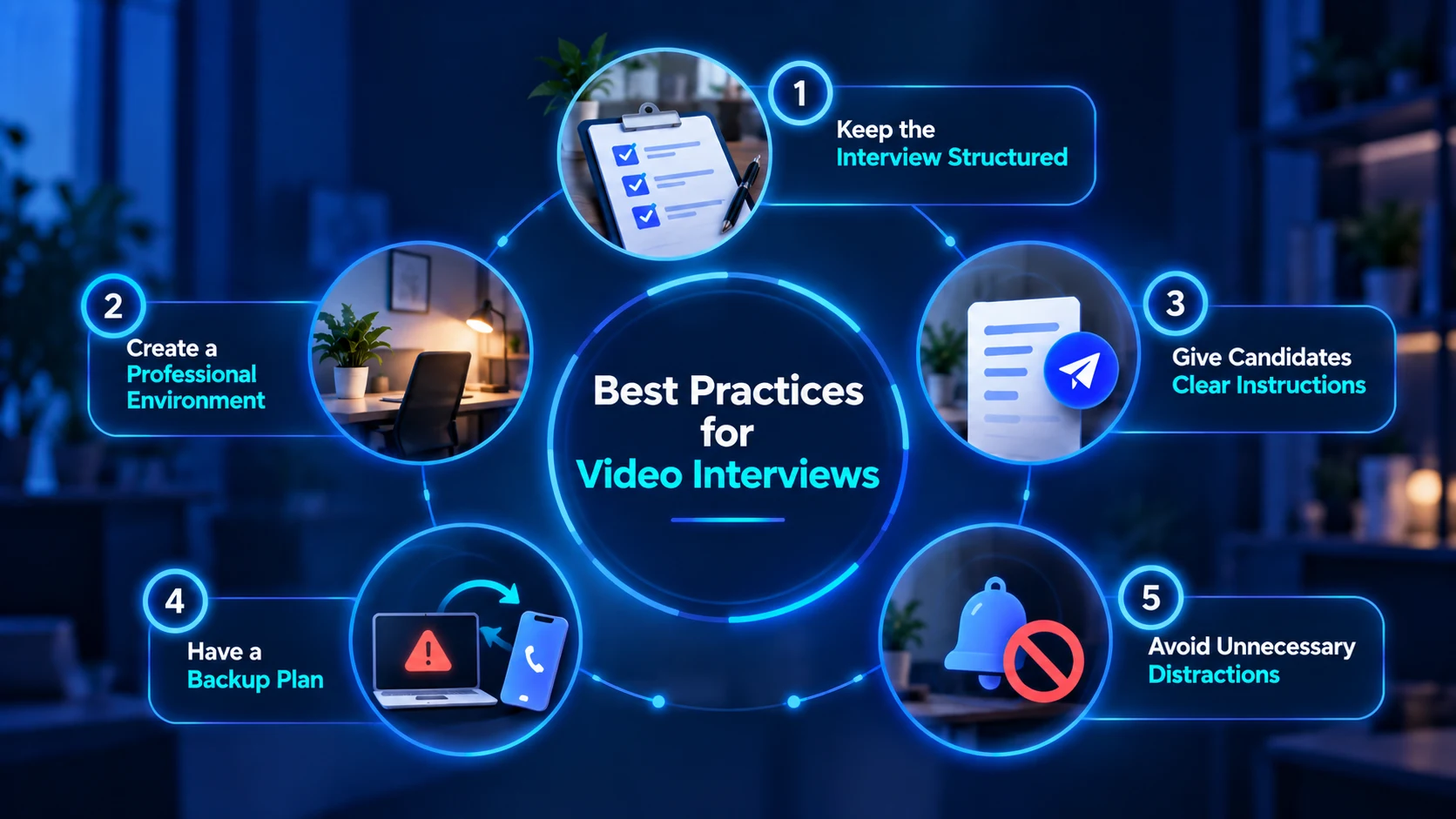
1. Keep the Interview Structured
Create an agenda before the interview so the conversation follows a clear flow. A simple structure can include:
Introduction and overview
Candidate background
Role-specific questions
Behavioral or situational questions
Candidate questions
Explanation of next steps
A consistent structure helps interviewers cover the important areas without letting the conversation become unfocused. It also makes it easier to give candidates a similar experience throughout the hiring process while still allowing appropriate follow-up questions based on their responses.
2. Create a Professional Environment
Create a professional interview environment that allows both the interviewer and candidate to focus on the conversation. The environment should be comfortable, quiet, and free from unnecessary interruptions. This can include:
Choosing a quiet and private location
Using appropriate lighting and camera positioning
Keeping the background reasonably professional
Turning off phone and computer notifications
Avoiding unnecessary interruptions during the interview
A professional environment helps the conversation run smoothly and reduces distractions. However, employers should also avoid judging candidates based on factors such as their home background or access to a professional-looking workspace when these factors are unrelated to the requirements of the role.
3. Give Candidates Clear Instructions
Give candidates clear information before the interview so they know what to expect and how to prepare. Important details can include:
Date and time of the interview
Video platform or meeting link
Expected interview duration
Interview format and participants
Any preparation required before the interview
Instructions for dealing with technical problems
Providing these details in advance reduces uncertainty and allows candidates to prepare properly. Employers should also inform candidates if the interview will be recorded or if additional interviewers will be present so there are no unexpected changes during the conversation.
4. Have a Backup Plan
Prepare an alternative plan in case technical problems interrupt the video interview. Common situations that may require a backup option include:
Internet connection problems
Camera or microphone failure
Video platform issues
Unexpected connection interruptions
Problems that prevent the candidate from joining the meeting
Having a backup plan allows the interviewer to respond quickly without unnecessarily ending or rescheduling the interview. Employers can keep a candidate's phone number available or agree in advance on an alternative way to reconnect if the video platform stops working.
5. Avoid Unnecessary Distractions
Remove distractions before the interview begins so the interviewer can give the candidate their full attention. This can include:
Closing unnecessary applications and browser tabs
Turning off phone and desktop notifications
Avoiding email or messaging during the interview
Preparing interview notes and questions in advance
Choosing a location where interruptions are unlikely
Giving candidates the interviewer's full attention creates a more professional and focused conversation. It also helps ensure that the interviewer can listen carefully to responses, ask relevant follow-up questions, and evaluate the candidate based on the information discussed during the interview.
Common Video Interview Mistakes
Video interviews can create challenges for both interviewers and candidates when the process is not properly planned. Common mistakes include failing to test technology, having a distracting environment, unclear interview instructions, poor engagement, and allowing technical issues to influence candidate evaluation.
Interviewers should also avoid distractions during the conversation and give candidates a reasonable opportunity to resolve technical problems. A well-planned process can help ensure that the interview focuses on job-related skills rather than the difficulties of the video format.
1. Treating Video Interviews Exactly Like In-Person Interviews
Although the fundamentals of interviewing remain similar, video interviews create different communication dynamics. Audio delays, camera positioning, screen fatigue, and connection problems can affect how naturally the conversation develops.
Interviewers should account for these differences rather than assuming that the same approach will work without adjustment. Clear instructions, brief pauses, and a little extra patience can make the conversation easier for both sides.
2. Skipping the Technology Check
Starting an interview with several minutes of troubleshooting can create unnecessary stress and reduce the time available for meaningful discussion. Employers and candidates should test the camera, microphone, internet connection, and interview platform before the scheduled interview.
It is also useful to have a backup plan if technical problems continue. A phone call or another communication method can prevent a temporary technology issue from unnecessarily affecting the interview.
3. Using Unstructured Questions
If every candidate receives completely different questions, comparing their responses can become difficult. Interviewers may also unintentionally focus on different skills or topics when there is no consistent framework.
A structured set of core questions can improve consistency while still allowing appropriate follow-up questions. This gives interviewers flexibility without making the evaluation process completely different for each candidate.
4. Focusing Too Much on Camera Presence
A candidate's background, lighting, internet connection, or comfort with a webcam should not overshadow their job-related qualifications. Video conditions can vary significantly between candidates and may be influenced by factors outside their control.
Interviewers should therefore distinguish between genuine job-related signals and issues caused by the video environment. Making judgments based on someone's home setting or technical limitations can also introduce unnecessary bias.
5. Making One-Way Interviews Too Long
Asynchronous interviews can be useful for collecting specific information, but they can become frustrating when candidates are asked to record lengthy responses to a large number of questions.
Employers should only include questions that provide useful information at that stage of the hiring process. Keeping the process focused can reduce candidate effort while still giving recruiters the information they actually need.
6. Ignoring Candidate Experience
Candidates are also evaluating the employer throughout the hiring process. Unclear instructions, technical problems, long delays, or excessive automation can make the process frustrating and affect how candidates perceive the organization.
Employers should communicate expectations clearly, provide the necessary interview details in advance, and make it easy for candidates to ask for help when technical or accessibility issues arise. A smoother experience can make the interview more productive for both sides.
Video interviews are also popular among job seekers. According to an iCIMS survey, 94% of job seekers prefer video interviews, while 83% believe companies that use them are more innovative. |
|---|
Challenges of Video Interviews
Video interviews offer flexibility, but they can also create challenges that affect both candidates and interviewers. Common issues include technology or internet problems, limited non-verbal cues, reduced human interaction, and difficulty building rapport, particularly in pre-recorded interviews.
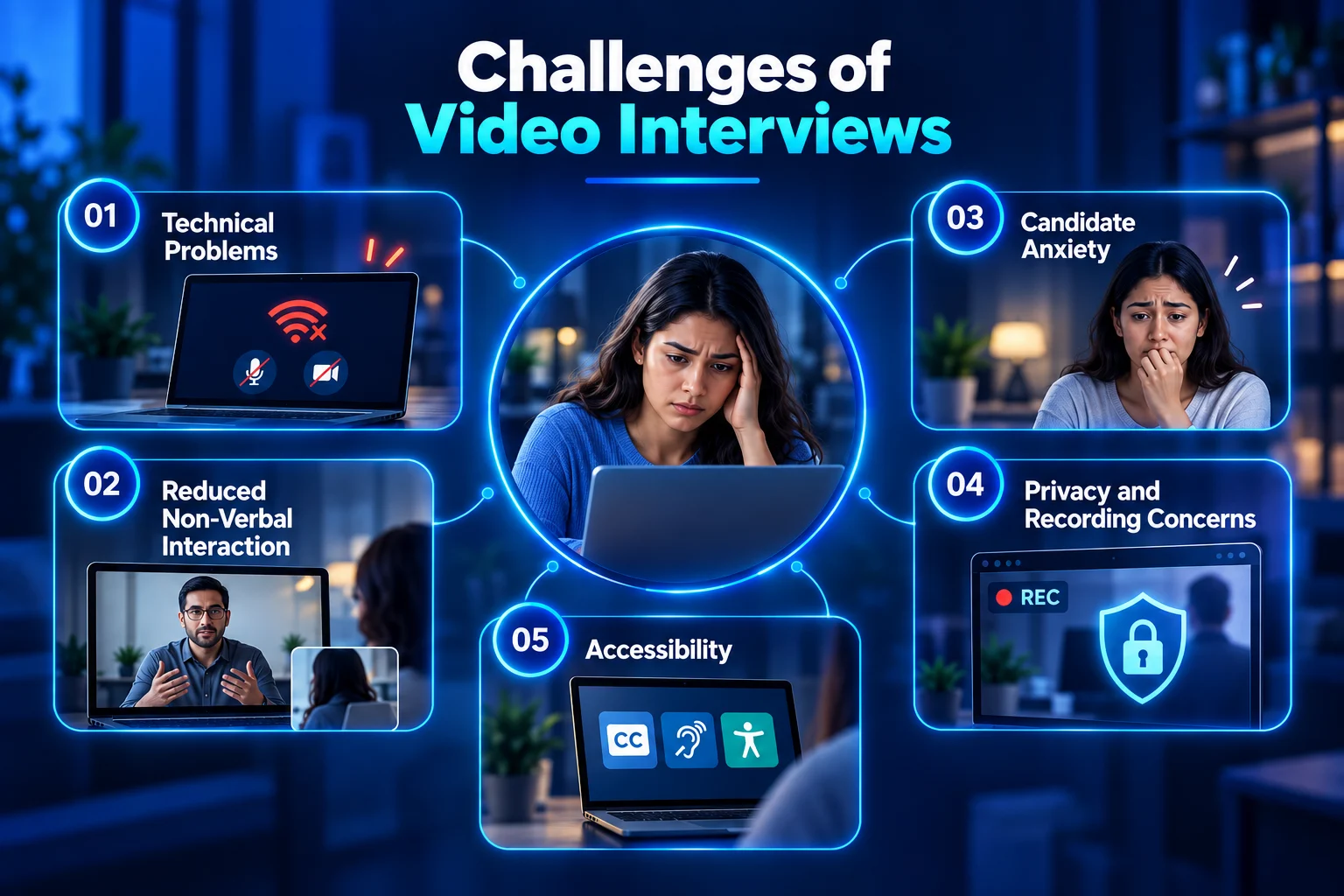
1. Technical Problems
Poor internet connections, microphone problems, software issues, and incompatible devices can interrupt an interview or make communication difficult. These problems can also affect how a candidate is perceived, even when they have the skills required for the role. Research has found that poorer audiovisual quality can influence ratings of candidates in video interviews.
Employers should therefore have a backup process so that a temporary technical issue does not automatically disadvantage or eliminate a candidate.
2. Reduced Non-Verbal Interaction
Video provides visual information, but it is not identical to an in-person conversation. Camera positioning, screen size, connection delays, and limited visibility can make facial expressions and other non-verbal cues harder to interpret.
This can also affect the natural flow of the conversation. Interviewers may need to allow slightly more time for responses and avoid placing too much importance on subtle on-screen behaviors.
3. Candidate Anxiety
Some candidates may feel uncomfortable speaking on camera, particularly when they are unfamiliar with the technology or the interview format. Technical concerns can add to this pressure and make it harder for candidates to concentrate on their answers.
Interviewers should avoid treating nervousness or unfamiliarity with video technology as evidence of poor job performance unless presentation skills are genuinely relevant to the role.
4. Privacy and Recording Concerns
Video interviews can involve the collection of personal information, particularly when interviews are recorded or stored for later review. Candidates may have questions about who can access their recordings, how long the information will be retained, and how it will be used.
Organizations should clearly communicate when an interview is being recorded and establish appropriate controls for access, storage, and retention. Privacy expectations should be considered before introducing recording or automated video assessment into the hiring process.
5. Accessibility
Employers should consider whether the video interview process creates unnecessary barriers for candidates with disabilities or different communication needs. Issues with captions, audio, visual interfaces, or platform usability can affect participation.
The assessment should focus on the essential requirements of the role rather than characteristics unrelated to job performance. Providing reasonable alternatives or accessibility support can help make the interview process more inclusive.
AI-Powered Video Interviews
Artificial intelligence is increasingly being incorporated into recruitment technology, including video interviewing. AI can assist with tasks such as transcription, organizing interview information, screening workflows, and helping recruiters manage large candidate pools. Tools such as Sherlock AI can also help organizations strengthen video interview integrity through identity verification and detection of potential AI-assisted or fraudulent behaviour.
AI can make parts of the hiring process more efficient, but it should not automatically replace human judgment. Recruiters should understand what a system is designed to evaluate, what data it uses, and how its output contributes to the final hiring decision.
Particular care is needed when technology attempts to assess personality, emotions, communication style, or candidate suitability from facial expressions, voice characteristics, or other signals. These indicators may not always provide a reliable measure of job-related ability and can potentially create unfair outcomes for some candidates. AI can therefore support the recruitment workflow without becoming the sole basis for hiring decisions. Employers should use appropriate human oversight, evaluate candidates against legitimate job-related criteria, and regularly review whether the technology is producing consistent and relevant results.
Conclusion
A video interview allows employers and candidates to connect remotely without requiring a traditional face-to-face meeting. Its flexibility makes it particularly useful for remote hiring, distributed teams, high-volume recruitment, and organizations hiring across geographical boundaries.
There are several formats to choose from. Live video interviews provide real-time interaction and allow interviewers to ask follow-up questions, while pre-recorded interviews can provide a more standardized approach to early-stage screening. Hybrid processes can combine both depending on the requirements of the hiring process.
However, effective video interviewing requires more than a camera and a meeting link. Employers need to prepare relevant questions, establish consistent evaluation criteria, test technology, communicate expectations clearly, and create an experience that allows candidates to demonstrate their actual qualifications.
The strongest video interview processes use technology as an enabler of better hiring, not as a substitute for thoughtful assessment. When the process is structured, relevant, transparent, and candidate-friendly, video interviews can become an effective part of modern recruitment.