Back to all blogs
Learn what is video meetinng fraud & how deepfakes, voice cloning, and impersonation are used to commit video meeting fraud with real examples, warning signs, and prevention tips.

Video meetings have become an essential part of modern business communication. Companies use video calls to communicate with employees, executives, customers, vendors, business partners, and candidates.
However, the same technology that makes remote communication convenient can also be exploited by fraudsters.
Video meeting fraud is a form of deception in which criminals use video calls, deepfakes, voice cloning, impersonation, social engineering, or other techniques to make someone believe they are communicating with a legitimate person.
The growing use of AI is making these attacks harder to detect. Between 2020 and June 2026, video platforms and conferencing tools accounted for $62 million in documented deepfake fraud losses, highlighting how video communication is becoming another channel for increasingly sophisticated scams.
This is particularly concerning because people often treat a live video call as a form of identity verification. Seeing someone's face and hearing their voice can create a strong sense of trust, but modern AI can manipulate both.
Video meeting fraud can be used to steal money, obtain sensitive information, gain unauthorized access, or impersonate employees, executives, vendors, or candidates. Understanding how these attacks work, the warning signs to look for, and how businesses can prevent them is becoming increasingly important.
What Is Video Meeting Fraud?
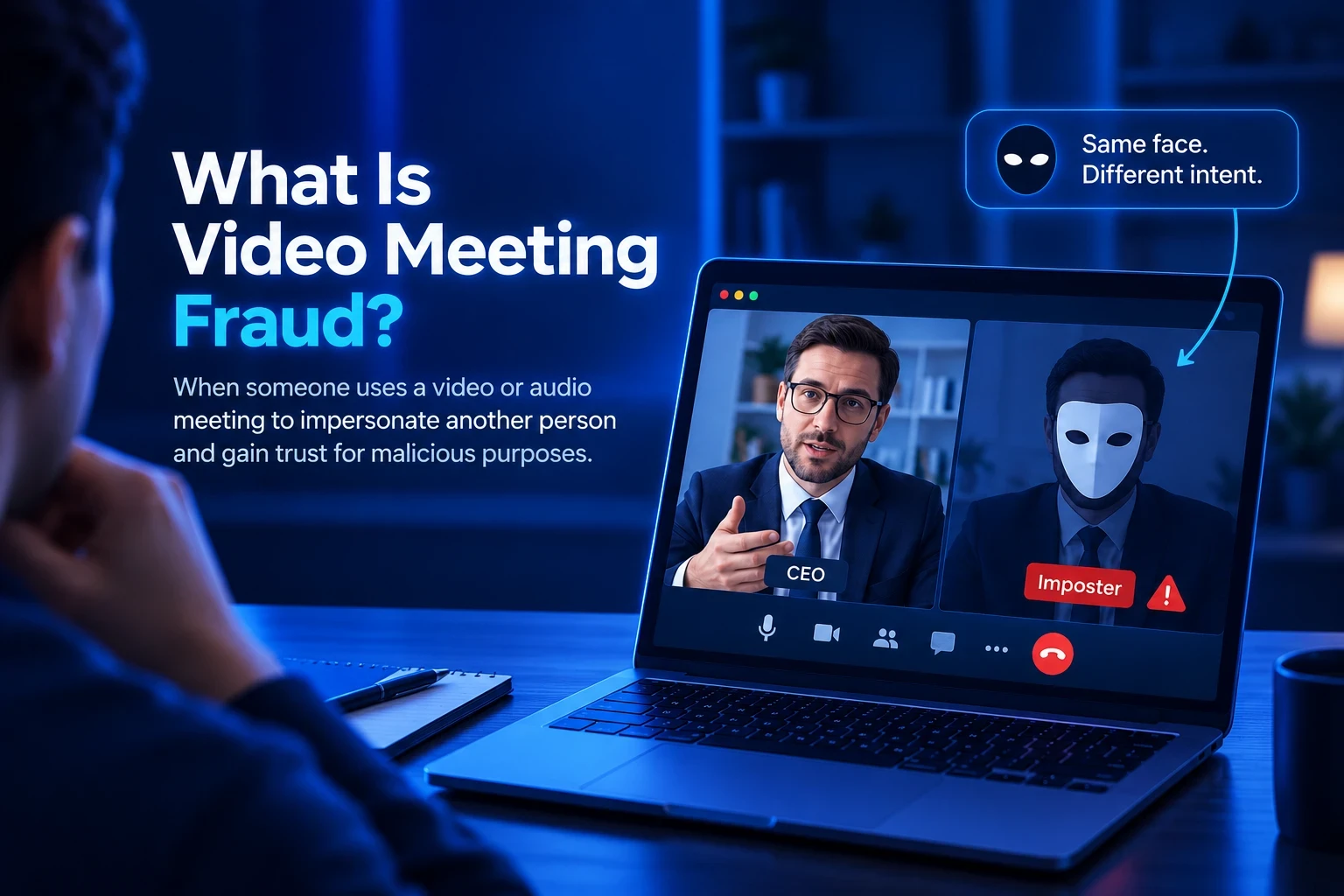
Video meeting fraud occurs when an attacker uses a video or audio meeting to impersonate another person, manipulate a participant, or create a false sense of trust.
The attacker may pretend to be a CEO, CFO, employee, customer, vendor, recruiter, candidate, or business partner. The goal can be to steal money or confidential information, gain access to systems, or influence business decisions.
For example, an attacker could impersonate a senior executive during a video call and instruct an employee to transfer money. In another case, a fake vendor could join a meeting and request a change to payment details.
Unlike conventional phishing, video meeting fraud can make the victim feel as though they are directly verifying the person's identity through a live conversation. But seeing and hearing someone on a video call does not automatically prove that they are who they claim to be.
How Does Video Meeting Fraud Work?
Video meeting fraud typically combines AI-powered manipulation with social engineering. An attack may follow several stages:
Identify a target: Attackers choose someone to impersonate, such as an executive, colleague, customer, or vendor.
Gather information: They collect publicly available photos, videos, voice recordings, job titles, company information, and other personal or professional details.
Create a fake identity: The collected information can be used to create a convincing impersonation through manipulated video, cloned voices, fake profiles, or other synthetic media.
Contact the victim: Attackers may initiate contact through email, messaging platforms, phone calls, or meeting invitations.
Build trust during the meeting: Once on the call, they may use the impersonated person's authority, familiarity, internal knowledge, or a sense of urgency to make the interaction appear legitimate.
For example, an attacker could impersonate a CFO and tell an employee that an urgent transaction needs to be completed. Because the employee believes they are speaking directly with the CFO, they may approve the request without performing additional verification.
This makes video meeting fraud particularly dangerous because the attacker can exploit the verification process itself rather than simply bypassing it.
Why Is Video Meeting Fraud Increasing?
Video meeting fraud is becoming more common as businesses rely more heavily on remote communication and AI makes it easier to create convincing synthetic media.
Creating realistic fake video and audio once required specialist skills and significant resources. Today, AI tools can make it easier to manipulate faces, voices, and other digital content.
At the same time, businesses increasingly use video meetings for important activities such as financial approvals, vendor discussions, executive communication, customer interactions, and remote interviews. This gives attackers more opportunities to exploit trusted communication channels.
As a result, video meeting security needs to go beyond protecting meeting links and user accounts. Organizations also need to consider whether the person participating in the meeting is actually who they claim to be.
For remote hiring, solutions such as Sherlock AI can add another layer of protection by helping organizations detect potential proxy candidates, deepfakes, and AI-assisted participation during interviews.
What Are the Main Types of Video Meeting Fraud?
Video meeting fraud can take different forms depending on the technology used and the objective of the attacker.
Some attacks involve manipulated video, while others rely primarily on voice cloning, impersonation, social engineering, or a combination of multiple techniques.
Understanding these different forms helps organizations identify where their existing security controls may be insufficient.
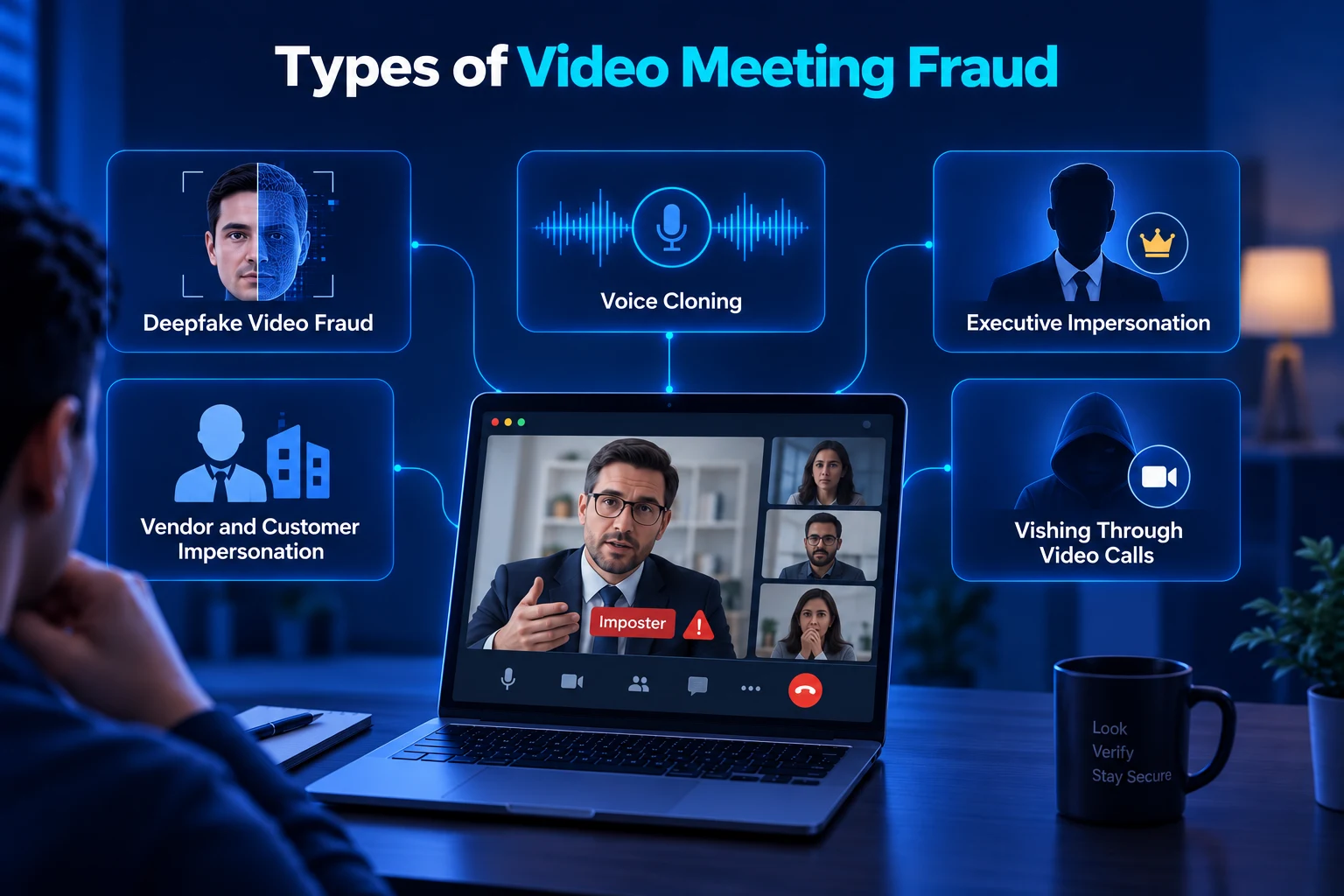
Deepfake Video Fraud
Deepfake video fraud involves manipulating or generating video so that one person appears to be another person.
In a live video meeting, an attacker may use face-swapping technology to make their appearance resemble a trusted individual. The attacker can then participate in a conversation while the victim sees what appears to be a familiar face.
For example, a fraudster could impersonate a company's CFO during a finance meeting and instruct an employee to approve an urgent payment.
This can be difficult to detect because the victim is not watching a prerecorded video. They are interacting with the person in real time.
The main risk is that visual identity can no longer be treated as sufficient proof of authenticity.
Voice Cloning
Voice cloning uses AI to reproduce a person's voice.
Attackers can potentially use publicly available recordings of executives, employees, or other individuals to create synthetic speech that resembles the target's voice.
For example, an employee might receive a call that sounds like their manager asking them to share sensitive information or complete an urgent task.
If the employee already recognizes the voice, they may be less likely to question the request.
This makes voice cloning particularly dangerous when it is combined with video impersonation, because the attacker can attempt to replicate both the person's voice and appearance.
Learn more about - How to Prevent Voice Cloning Fraud in Hiring Interviews
Executive Impersonation
Executive impersonation involves pretending to be a senior person within an organization.
Attackers may target CEOs, CFOs, directors, or other senior employees because their instructions often carry significant authority.
For example, a fake CFO could join a video meeting with a finance employee and claim that an important business transaction needs to be completed immediately.
The attacker may use urgency, confidentiality, and authority to discourage the employee from questioning the request.
This can turn an ordinary video call into a high-value financial fraud opportunity.
Vendor and Customer Impersonation
Video meeting fraud can also target relationships between companies and their vendors or customers.
An attacker may pretend to be a legitimate supplier and request that future payments be sent to a new bank account. They may then participate in a video meeting to make the request appear genuine.
For example, a finance team could receive an email about a banking change and then schedule a video call with the supposed vendor to confirm the request.
If the person on the call is also an impersonator, the employee may believe the banking change has been independently verified.
This is why payment changes should always be confirmed through a separate, trusted communication channel.
Vishing Through Video Calls
Vishing, or voice phishing, traditionally involves using phone calls to manipulate victims.
With video meeting fraud, the attacker can combine vishing with video impersonation.
For example, an attacker may impersonate an IT administrator and ask an employee to provide an authentication code during a video call.
The employee may comply because the supposed IT administrator appears on screen and communicates confidently.
This creates a stronger social engineering attack because the victim receives both visual and verbal signals of apparent legitimacy.
Real-World Examples of Video Meeting Fraud
Video meeting fraud is not just a theoretical threat. Reported incidents show how attackers can combine synthetic media and social engineering to manipulate people during real business interactions.
1. Arup Deepfake Video Conference Scam
One of the most widely reported examples involved an employee at engineering company Arup in Hong Kong.
The employee reportedly joined a video conference where participants appeared to include the company's CFO and other colleagues. The participants were actually deepfakes. The employee subsequently authorized transfers totaling approximately $25 million.
The incident is particularly concerning because the employee attempted to verify the request through a video meeting rather than simply trusting an email.
The case demonstrates how attackers can exploit the trust people place in live video communication.
2. Executive Impersonation Through Synthetic Media
Executive impersonation is another growing form of video meeting fraud. Attackers can use publicly available photographs, videos, and voice recordings to create convincing synthetic representations of senior employees.
For example, a fraudster could impersonate a CFO during a video meeting and claim that an urgent transaction requires immediate approval. By combining a familiar appearance and voice with authority and urgency, the attacker can make a fraudulent request appear legitimate.
Reported deepfake incidents documented by Resemble AI show how synthetic media is increasingly being used in corporate fraud scenarios.
The key lesson is simple: financial requests should be independently verified, even when they appear to come from a senior executive during a live video call.
3. Video Meeting Fraud in Remote Recruitment
Video meeting fraud can also affect remote recruitment, where organizations rely on video calls to assess a candidate's identity, skills, and experience.
For example, a candidate may use a proxy participant to answer interview questions on their behalf. More sophisticated attempts may combine proxy participation with real-time face manipulation or AI-generated answers.
In these situations, a company may evaluate skills and identity that do not actually belong to the person being hired.
This makes interview fraud an important application of the broader video meeting fraud problem, particularly for organizations that rely heavily on remote hiring.
What Are the Risks of Video Meeting Fraud?
Video meeting fraud can have consequences beyond a single fraudulent interaction. Depending on the attacker's objective, businesses may face financial losses, data exposure, unauthorized access, reputational damage, and operational disruption.
1. Financial Loss
Attackers can use impersonation and social engineering to convince employees to authorize payments, change banking information, or transfer company funds.
For example, an employee may receive a video call from someone appearing to be a senior executive and be instructed to transfer money to a new account.
2. Data Exposure
Attackers may impersonate employees, executives, customers, or vendors to gain access to confidential business information.
A fake manager, for example, could ask an employee to share internal documents, customer information, or financial data during a video call.
3. Unauthorized System Access
Video meeting fraud can also be used to obtain credentials or gain access to internal systems.
An attacker posing as an IT administrator may ask an employee to share a password, authentication code, or approve a login request. If the employee complies, the attacker could use the information to access company systems.
4. Reputational Damage
A successful fraud incident can damage an organization's reputation and reduce trust among customers, employees, and business partners.
If attackers successfully impersonate executives or employees and cause a major incident, stakeholders may question the organization's security practices and internal controls.
5. Operational Disruption
Responding to video meeting fraud can also disrupt normal business operations.
Organizations may need to investigate incidents, freeze transactions, reset credentials, review access controls, and introduce additional security measures. This can result in lost time, increased workload, and disruption to business activities.

What Are the Warning Signs of Video Meeting Fraud?
There is no single visual or behavioral sign that can definitively prove a video meeting is fraudulent. Poor internet connectivity, camera issues, nervousness, unusual lighting, or audio delays can sometimes look suspicious even when a participant is genuine.
Instead of relying on one clue, businesses should look for multiple inconsistencies combined with suspicious requests or unusual behavior.
Common Warning Signs
Potential warning signs of video meeting fraud include:
Unnatural facial movements or expressions
Inconsistent lip synchronization
Unusual facial distortion
Changes in voice quality or tone
Unexplained changes in appearance
Unusual pauses, delays, or responses
Inconsistent answers to simple questions
Requests that create unnecessary urgency
Requests to bypass normal approval processes
Requests for confidential information
Requests for passwords or authentication codes
Unexpected changes to payment instructions
These signs do not automatically mean that someone is using a deepfake or attempting fraud. Instead, they should prompt additional verification before taking any sensitive action.
Learn more about - How to Spot Fake Job Interviews? 15 Warning Signs to Know |
|---|
Why Human Detection Alone Is Not Enough
People naturally rely on faces, voices, body language, and conversation patterns to judge whether someone appears genuine. However, AI can now manipulate many of these signals, making some forms of impersonation difficult to identify through observation alone.
A sophisticated attacker may maintain a normal conversation while simultaneously manipulating their face or voice. As a result, everything may appear convincing at a surface level, even when the person is not who they claim to be.
This is why organizations should not expect employees to identify every deepfake or impersonation attempt themselves. Employee awareness should be combined with strong authentication, independent verification, and technology-assisted detection to create a stronger layer of protection.
How Can Businesses Prevent Video Meeting Fraud?
Preventing video meeting fraud requires multiple layers of protection. Organizations should combine technical controls, clear procedures, and employee awareness rather than relying on a single security measure.
1. Independently Verify Sensitive Requests
Sensitive requests should always be verified through a separate, trusted communication channel.
For example, if someone appearing to be a CFO requests a large financial transfer during a video meeting, the employee should independently contact the CFO using a known phone number or established internal communication channel.
This helps prevent attackers from controlling both the request and the verification process.
2. Maintain Clear Approval Procedures
Organizations should establish clear approval procedures for financial transfers, credential changes, access requests, and other sensitive activities.
Employees should not be allowed to bypass these procedures simply because a senior executive makes a request during a video call. Urgency and authority should never replace established security controls.
3. Use Strong Authentication
Strong authentication helps protect the accounts and systems used for business communication.
Organizations should use appropriate authentication controls for meeting platforms, financial systems, internal applications, and other sensitive services. Multi-factor authentication can make it harder for attackers to access an account even if they obtain an employee's password.
However, authentication alone does not prevent someone from impersonating another person during a legitimate meeting.
4. Train Employees
Employees should understand that video and voice are no longer perfect indicators of identity.
Training should cover deepfakes, voice cloning, vishing, executive impersonation, social engineering, and other forms of video meeting fraud. Employees should also know when to pause a request, follow established procedures, and verify the person's identity through another channel.
5. Protect Remote Hiring
Organizations that rely on remote recruitment should also consider the risk of proxy candidates, deepfake candidates, and AI-assisted participation.
Identity verification, structured assessments, follow-up interviews, and technology-assisted interview monitoring can help organizations improve confidence in candidate identity and interview integrity.
How Sherlock AI Helps With Video Interview Fraud
Remote interviews create a unique identity challenge. Recruiters need to know that the person on the screen is the actual candidate and that their interview performance is genuine.
Key fetaures:
1. Detecting Proxy Candidates
A proxy candidate is another person who participates in an interview on behalf of the actual applicant.
Sherlock AI analyzes multiple signals during the interview to help identify potential proxy participation. This can help hiring teams detect situations where the person answering questions may not be the candidate who applied for the role.
2. Detecting AI Copilots
Candidates may use AI tools to receive real-time assistance while appearing to answer interview questions independently. These tools can include Cluely, Lockedin AI, Interview Coder, and other AI-powered interview assistants.
Sherlock AI helps identify signals associated with AI-assisted participation, giving hiring teams additional insight into whether a candidate's responses reflect their own skills and knowledge.
3. Detecting Deepfake Candidates
Deepfake technology can manipulate a candidate's face or voice during a remote interview, making identity verification more difficult.
Sherlock AI helps organizations identify potential deepfake use as part of its broader interview fraud detection approach. This provides hiring teams with an additional layer of confidence when evaluating candidates remotely.
4. Identity Verification
Interview integrity starts with knowing who is actually participating in the interview.
Sherlock AI helps organizations assess candidate identity and identify potential inconsistencies during remote interviews, helping recruiters make more informed hiring decisions.
5. Real-Time Interview Monitoring
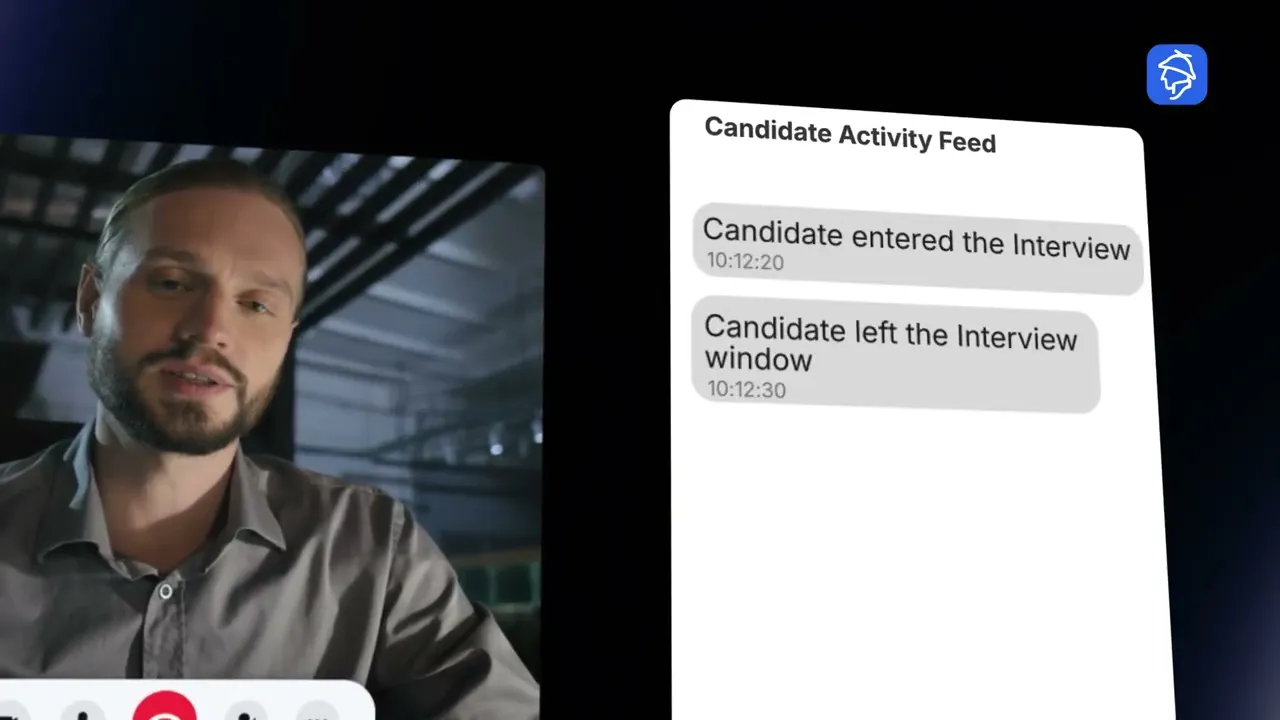
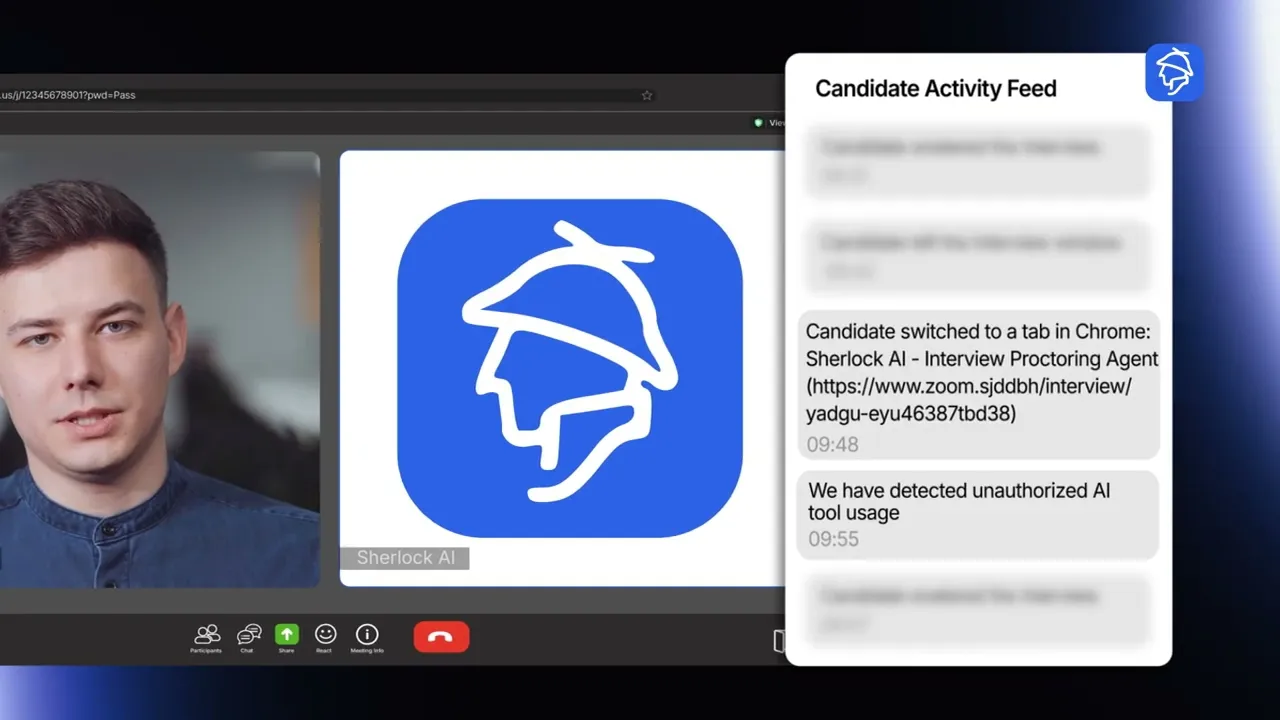
Sherlock AI can provide real-time signals during an interview to help hiring teams identify potentially suspicious activity as it happens.
This allows recruiters and interviewers to review potential concerns during the interview process rather than relying solely on post-interview analysis.
6. Multimodal Fraud Detection
Interview fraud can involve more than one technique at the same time. A candidate may use a proxy participant, AI assistance, or deepfake technology in combination.
Sherlock AI uses multiple signals to help identify different forms of interview fraud rather than relying on a single visual or behavioral indicator.
By combining detection across proxy participation, AI assistance, deepfakes, identity signals, and other suspicious activity, Sherlock AI helps organizations strengthen interview integrity and make more informed remote hiring decisions.
Conclusion
Video meeting fraud is changing how organizations need to think about trust in digital communication. Seeing and hearing someone on a live video call may create a strong sense of confidence, but deepfakes, voice cloning, impersonation, and social engineering can all be used to manipulate that trust.
The risks extend beyond financial fraud. Businesses can face data exposure, unauthorized access, reputational damage, operational disruption, and fraudulent hiring decisions.
The solution is not to stop using video meetings. Instead, organizations need to strengthen the way they verify identity and sensitive requests. Strong authentication, independent verification, clear approval procedures, employee training, and technology-assisted detection can work together to reduce the risk.
Remote hiring requires an additional layer of protection because organizations need confidence that the person being interviewed is actually the candidate and that their performance is genuine. Sherlock AI helps hiring teams detect potential proxy candidates, deepfakes, AI copilots, and other forms of interview fraud in real time.
If your organization relies on remote interviews, strengthening interview integrity can help reduce the risk of making hiring decisions based on fraudulent identities or unauthorized assistance.
Frequently Asked Questions
1. What is video meeting fraud?
Video meeting fraud is a type of fraud in which attackers use video calls, deepfakes, voice cloning, impersonation, or social engineering to deceive participants and obtain money, information, credentials, access, or other benefits.
2. How does video meeting fraud work?
An attacker typically impersonates a trusted person and uses a video or audio call to create a convincing interaction. They may then request money, sensitive information, credentials, system access, or another action.
3. Can deepfakes be used during live video meetings?
Yes. Deepfake technology can manipulate video or audio during live communication, allowing attackers to make themselves appear or sound like another person.
4. What is a deepfake video meeting scam?
A deepfake video meeting scam uses AI-generated or manipulated video and audio during a live call to impersonate another person and deceive the victim.
5. What is voice cloning?
Voice cloning uses AI to reproduce a person's voice. Attackers can potentially use cloned voices to impersonate executives, employees, customers, or other trusted individuals.
6. Can video meeting fraud affect businesses?
Yes. Businesses can face financial losses, data exposure, unauthorized system access, reputational damage, operational disruption, and fraudulent hiring decisions.
7. Can video meeting fraud happen during remote interviews?
Yes. Remote interviews can be affected by proxy candidates, deepfake candidates, AI copilots, and other forms of identity or performance manipulation.
8. What is a proxy candidate?
A proxy candidate is another person who participates in an interview or assessment on behalf of the actual applicant.
9. How can businesses prevent video meeting fraud?
Businesses can use independent verification, strong authentication, clear approval procedures, employee training, identity verification, and technology-assisted fraud detection.
10. Can humans reliably detect deepfakes?
Human observation can identify some suspicious signals, but it should not be considered a reliable standalone security control. Organizations should combine human awareness with technical detection and independent verification.
11. How does Sherlock AI help detect interview fraud?
Sherlock AI helps organizations identify potential interview fraud involving proxy candidates, deepfakes, AI copilots, and other forms of unauthorized assistance during remote interviews.
12. What should someone do if they suspect video meeting fraud?
They should avoid taking the requested action immediately, independently verify the person's identity through a trusted communication channel, follow established security procedures, and report the incident to the appropriate security or fraud team.